
WASP Superstinger Support
Software, manuals, troubleshooting, and answers for WASP Superstinger owners.
Already running a WASP Superstinger? Download software, grab the latest manual, and check common fixes. If you don’t see what you need, contact us and we’ll help
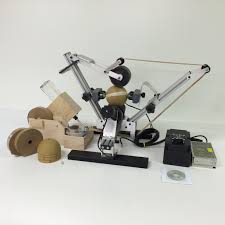
WASP Software – Version A
For WASP Superstinger machines purchased before 2-24-2025
- Windows installer
- Includes USB driver & configuration tool
If you are not sure what version you need contact support
WASP Software – Version B
For WASP Superstinger machines purchased after 2-24-2025 (updated 03/25/2026)
- Windows installer
- Includes USB driver & configuration tool
If you are not sure what version you need contact support
WASP Superstinger Manual
The full operator’s manual, including setup, operation, and maintenance procedures.
We’re building out a FAQ for WASP owners. Here are a few common questions to start
How do I know which software version to install?
Check your machine’s purchase date or serial number. Machines shipped before 02-24-2025 typically use Version A; machines on or after that date use Version B. If you’re unsure, send us your serial number and we’ll confirm.
Can I run the software on multiple PCs?
Yes. You can install the software on multiple shop computers as long as each is used to control a licensed WASP Superstinger unit in your operation
What operating systems are supported?
Currently we support all Windows versions. If you’re using something else, contact us and we’ll talk through your options.
How often should I service or inspect the machine?
At minimum, inspect tape paths and moving components before each production run. Follow the maintenance checklist in the manual for lubrication and wear parts
VIDEOS
Getting Started
Unboxing & Setup
From unpacking to your first test shell
Operation & Maintenance
Daily Operation
Loading tape, adjusting tension, and keeping things running smoothly
Adjustments & Tips
Fine-Tuning & Adjustments
Dialing in tape tension, overlap, and troubleshooting small issues
Troubleshooting & Common Issues
If something doesn’t look or feel right, stop the machine, secure your shells, and work through the steps below. When in doubt, contact us before continuing production.
Tape isn’t feeding evenly
Confirm tape roll is seated correctly and not rubbing on guards.
Check that the tape path matches the diagram in the manual.
Inspect rollers for buildup—clean as recommended in the manual.
If the problem persists, capture a short video and contact support.
Machine won’t start or stops mid-cycle
Verify the power switch, outlet, and any emergency stops.
Check that all covers or guards that include safety interlocks are fully closed.
Listen for unusual noises when you attempt to start.
Note the exact behavior and contact support with your serial number.
Pasting looks inconsistent around the shell
Confirm shell size and tape width match your setup.
Check tape tension and overlap settings.
Inspect tape quality (humidity or damage can affect performance).
Run a test with a single shell and record the results for support.
Still need help with your WASP?
Send us your machine details, what you’re seeing, and any photos or videos. The more detail you share, the faster we can help you get back to pasting.
Machine serial number and purchase date
Software version you’re running
Shell size and tape type you’re using
A short description of the issue (and when it started)